Migrating from WordPress to Astro on Cloudflare
A practical guide to exporting WordPress content as XML, parsing it with Python, converting it to Markdown/MDX, and deploying a fast Astro site on Cloudflare Pages.

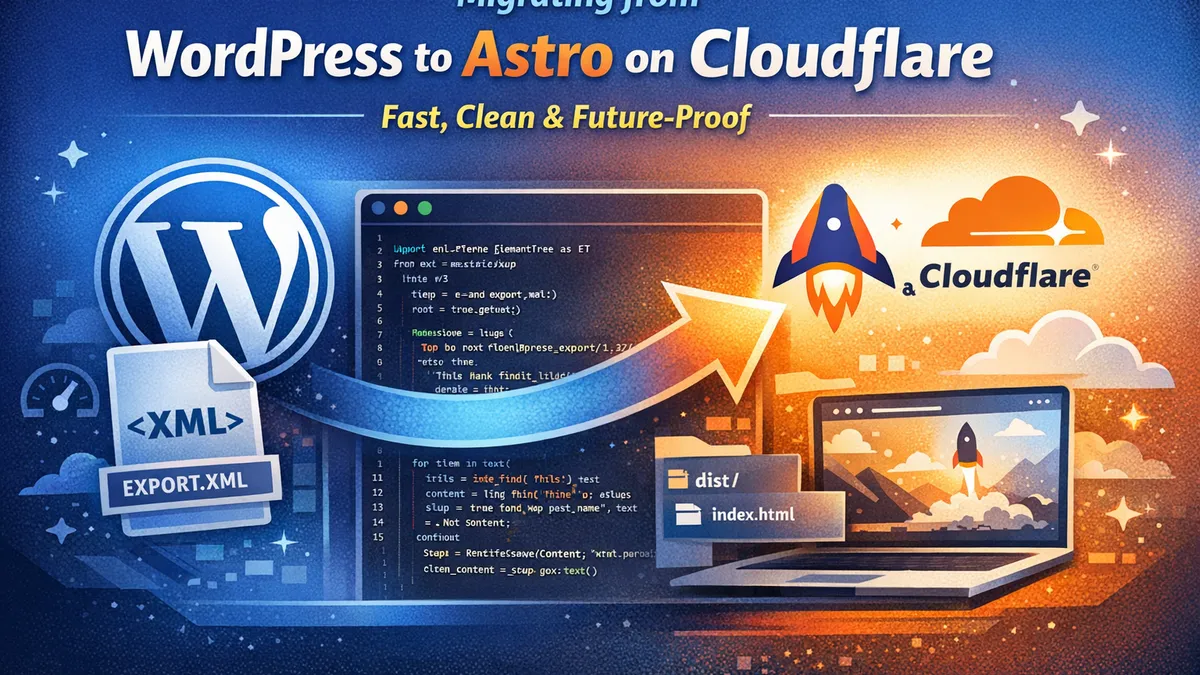
For years, WordPress has been the default choice for publishing content online. It is powerful and flexible, but it can also become bloated, slow, and maintenance-heavy.
I recently migrated a WordPress site to a modern stack using  Astro and Cloudflare Pages. The result was exactly what I wanted: faster load times, fewer moving parts, and a much cleaner publishing workflow.
In this post, I will show you exactly how I approached the migration, including one of the most useful parts of the process: exporting the site with WordPress XML export and then using Python to parse out the content.
🤔 Why move away from WordPress?
Before getting into the migration steps, here is the core reason for the move.
WordPress usually brings along:
- 🔌 Plugin dependencies
- 🔁 Ongoing updates
- 🔒 Security concerns
- 🗄️ Database overhead
- 🎨 Theme and compatibility issues over time
By moving to Astro + Cloudflare Pages, you get:
- ⚡ Static pages that load fast
- 🧩 No PHP runtime
- 🗄️ No database required for publishing
- 🛡️ A much smaller attack surface
- 🌍 Global CDN delivery through Cloudflare
- 🧑💻 A cleaner developer experience
For a content-focused site, that is a strong upgrade.
✨ At a glance: This migration is mostly about simplifying operations while keeping content ownership in Git.
🗺️ The migration workflow
My migration broke into four practical phases:
- Export content from WordPress as XML
- Parse the XML with Python
- Convert content into Markdown or MDX for Astro
- Deploy the Astro site to Cloudflare Pages
1️⃣ Step 1: Export content from WordPress
Inside WordPress, go to:
Tools -> Export
Choose All Content and download the export file. WordPress gives you an XML file, sometimes referred to as a WXR export.
That file usually contains:
- Posts
- Pages
- Categories
- Tags
- Slugs
- Publish dates
- Metadata
- Raw HTML content
It is not especially pretty, but it contains the content you need to migrate.
2️⃣ Step 2: Parse the WordPress XML with Python
This was the key bridge in my migration.
Instead of manually copying content post by post, I used Python to read the WordPress XML export, extract the important fields, and prepare the content for Astro.
The script can pull out things like:
- Title
- Slug
- Publish date
- Post body
- Categories
- Tags
It can also help clean up the HTML and convert it into content that works much better in a static site workflow.
🐍 Example Python script
Open Python parser example
import os
import xml.etree.ElementTree as ET
from bs4 import BeautifulSoup

tree = ET.parse("wordpress-export.xml")
root = tree.getroot()

ns = {
    "content": "http://purl.org/rss/1.0/modules/content/",
    "wp": "http://wordpress.org/export/1.2/",
}

os.makedirs("output", exist_ok=True)

for item in root.findall("./channel/item"):
    title_el = item.find("title")
    slug_el = item.find("wp:post_name", ns)
    date_el = item.find("wp:post_date", ns)
    content_el = item.find("content:encoded", ns)
    post_type_el = item.find("wp:post_type", ns)
    status_el = item.find("wp:status", ns)

    if post_type_el is None or post_type_el.text != "post":
        continue

    if status_el is None or status_el.text != "publish":
        continue

    title = title_el.text.strip() if title_el is not None and title_el.text else "Untitled"
    slug = slug_el.text.strip() if slug_el is not None and slug_el.text else "untitled"
    date = date_el.text.strip()[:10] if date_el is not None and date_el.text else "2026-03-27"
    raw_html = content_el.text if content_el is not None and content_el.text else ""

    soup = BeautifulSoup(raw_html, "html.parser")
    clean_text = soup.get_text("\n").strip()

    mdx = f'''---
title: "{title}"
pubDate: {date}
---

# {title}

{clean_text}
'''

    with open(f"output/{slug}.mdx", "w", encoding="utf-8") as f:
        f.write(mdx)
✅ What this Python step really does
This part matters because the WordPress export file is usually too messy to use directly.
Python gave me a way to:
- 🔄 Loop through every post automatically
- 🎯 Extract the exact fields I needed
- 🧹 Strip out unnecessary WordPress markup
- 📦 Convert content into portable files
- 🗂️ Prepare everything for Astro content collections
If you want a cleaner migration, this step saves a huge amount of time.
3️⃣ Step 3: Structure the content for Astro
Astro works especially well with
Markdown and MDX.
A common structure looks like this:
src/
  content/
    blog/
      my-first-post.mdx
      another-post.mdx
A typical Astro-friendly MDX file might look like this:
---
title: 'My Post Title'
description: 'Short summary of the post.'
pubDate: 2026-03-27
tags:
  - Astro
  - Migration
---

Your post content goes here.
If you are using Astro content collections, define the schema in src/content/config.ts:
import { defineCollection, z } from 'astro:content';

const blog = defineCollection({
  schema: z.object({
    title: z.string(),
    description: z.string().optional(),
    pubDate: z.coerce.date(),
    heroImage: z.string().optional(),
    tags: z.array(z.string()).optional(),
  }),
});

export const collections = { blog };
That gives you validation and consistency across your content.
💡 Tip: Keep frontmatter keys aligned with your collection schema to avoid render/runtime collection errors.
4️⃣ Step 4: Create your Astro blog pages
Once the content is in place, Astro makes it easy to render posts from the collection.
Example route:
---
import { getCollection } from "astro:content";

export async function getStaticPaths() {
  const posts = await getCollection("blog");
  return posts.map((post) => ({
    params: { slug: post.slug },
    props: { post },
  }));
}

const { post } = Astro.props;
const { Content } = await post.render();
---

<html lang="en">
  <head>
    <meta charset="utf-8" />
    <title>{post.data.title}</title>
  </head>
  <body>
    <article>
      <h1>{post.data.title}</h1>
      <Content />
    </article>
  </body>
</html>
You can dress this up with your actual layout, metadata, social tags, and styles, but this is the core pattern.
5️⃣ Step 5: Deploy Astro to Cloudflare Pages
Once the Astro project is ready, deployment is straightforward.
📦 Basic deployment flow
- Push the Astro project to GitHub
- Open Cloudflare Pages
- Connect the repository
- Set the build command to:
npm run build- Set the output directory to:
distCloudflare Pages then handles:
- 🔐 HTTPS
- 🌐 CDN delivery
- ⚡ Fast global caching
- 👀 Preview deployments
- 🚀 Simple production deploys
It is a very clean way to host a static Astro project.
🆚 Why this stack is better
After the migration, the site had some immediate advantages.
🧱 WordPress
- 🧩 Requires plugins
- 🗄️ Depends on a database
- 🔄 Needs updates and monitoring
- 🐢 Can slow down over time
- ⚠️ Has a larger security surface
⚡ Astro + Cloudflare
- ⚡ Static and fast
- ✅ Simple deployment workflow
- 🛠️ Minimal maintenance
- 📈 Better performance by default
- 🧠 Easier to reason about
For content publishing, that trade was worth it.
🧪 Lessons learned from the migration
A few things stood out during the process:
- 📄 The WordPress XML export is ugly, but very usable
- 🐍 Python is an excellent tool for migration work
- 🧹 Cleaning HTML is the hardest part
- Astro is ideal when your
content does not need a heavy CMS runtime
- ☁️ Cloudflare Pages makes deployment very easy
The biggest win was portability. Once the content became MDX files, it was no longer trapped inside WordPress.
🏁 Final thoughts
Moving from WordPress to Astro on Cloudflare is one of those upgrades that immediately feels cleaner.
You export your content once, parse it with Python, convert it into MDX, and then run the site on a fast, modern stack with far less maintenance.
That means:
- 🚫 no plugin treadmill
- 🚫 no fragile theme dependencies
- 🚫 no PHP hosting headaches
- 🚫 no database just to publish a blog post
Just content, version control, and fast delivery.
If you are looking for a practical way to modernize a WordPress site, this path works well.
✨ Bottom line: keep content portable, keep infrastructure simple, and let